Key takeaways
- Wiegand is one-way, unencrypted and unsupervised: the reader pulses D0/D1 to the controller with cable limits set by the reader and controller specifications.
- OSDP is a two-way, polled protocol over RS-485; with OSDP v2 Secure Channel, reader traffic is AES-128 encrypted and authenticated.
- RS485 is only the wiring layer. A reader labeled 'RS485' is not an OSDP reader unless its datasheet says so.
- Specify OSDP v2 with Secure Channel enforced for new builds; bridge retrofits with dual-interface readers or converters mounted on the secure side.
Wiegand is a one-way, unencrypted interface: the reader sends a card number to the controller as pulses on two data wires, and nothing comes back. OSDP is a two-way, polled protocol that runs over RS-485 wiring, supervises every reader and, with OSDP v2 Secure Channel, encrypts and authenticates traffic using AES-128. RS485 by itself is only the electrical layer, so specify OSDP with Secure Channel for new projects and keep Wiegand for retrofits and low-risk doors.
Short answer: Wiegand, OSDP and RS485 compared
The table sums up how the three options behave on a real door. “Proprietary RS485” means a reader that uses RS-485 wiring with a vendor-specific message format.
| Wiegand | OSDP (over RS-485) | Proprietary RS485 | |
|---|---|---|---|
| Standard | De facto industry interface | Open protocol from SIA, also published as IEC 60839-11-5 | Vendor-defined |
| Data direction | One-way, reader → controller | Two-way; controller polls each reader | Two-way, vendor-defined |
| Signaling | Low-going pulses on D0 and D1, typically 5 V logic | Differential pair (A/B), half-duplex | Differential pair (A/B) |
| Typical max cable run | ≈ 150 m (500 ft) | Up to ≈ 1,200 m (4,000 ft) at 9,600 bps | Up to ≈ 1,200 m (4,000 ft), rate-dependent |
| Conductors per reader | 4 minimum; 6–8 with LED, beeper and tamper | 4 (power pair + data pair) | Usually 4 |
| Readers per cable | 1 (home run to the controller) | Multi-drop; addresses 0–126 per bus | Multi-drop, vendor limit |
| Encryption | None | AES-128 with Secure Channel (OSDP v2) | Vendor-defined, often none |
| Reader supervision | None | Polled; a silent reader raises an offline event | Vendor-defined |
| LED and buzzer control | Extra wires | Commands over the data pair | Commands over the data pair |
| Cross-brand compatibility | Confirm electrical timing and credential format | Match supported profiles, Secure Channel and firmware; bench-test | Confirm the actual protocol |
What Wiegand is: D0/D1 signaling, 26/34-bit frames, one-way data
Wiegand takes its name from the Wiegand-effect wire used in early access cards. The card technology faded, but the reader interface became the default way to connect a reader to a controller. A Wiegand reader needs power (+V and GND) and two data lines, D0 and D1. The common color convention is red for +V, black for GND, green for D0 and white for D1, but always confirm against the datasheet.
Both data lines idle high, usually at 5 V logic levels. To send a 0, the reader pulls D0 low for a short pulse; to send a 1, it pulls D1 low. Pulses are typically tens of microseconds wide with a gap of a millisecond or more between bits, so a complete card read arrives in a fraction of a second. The controller counts the pulses, checks parity and decodes the number.
The most common frame is 26-bit (H10301): 1 even-parity bit, an 8-bit facility code (0–255), a 16-bit card number (0–65,535) and 1 odd-parity bit. The leading parity bit covers the first 12 data bits and the trailing one covers the last 12. A widely used 34-bit layout wraps 32 data bits, often the full 4-byte card UID, between two parity bits that each cover 16 data bits. Many other lengths (35-bit, 37-bit and custom formats) exist, and the reader and controller must agree on exactly one. Our Wiegand 26-bit format guide walks through the bit layout with a calculator.
Two limitations matter more than the frame format:
- One-way data. The controller cannot send anything back over D0/D1. To change the reader LED or sound the beeper, it pulls separate LED and buzzer wires low.
- No supervision. Between card reads the lines are silent, so a cut cable or a removed reader looks exactly like an idle one. The only protection is a tamper switch, if the reader has one and someone wired it.
What OSDP is: RS485 wiring, two-way data, Secure Channel and OSDP v2
OSDP (Open Supervised Device Protocol) is maintained by the Security Industry Association (SIA), which took ownership in 2012. It is also published as IEC 60839-11-5. It runs over a two-wire RS-485 bus. The controller acts as the master and polls each reader (a “peripheral device” in OSDP terms) by address, several times per second. The reader replies with card data, keypad entries or tamper status.
Because the link is two-way, the controller can set LED colors, drive the buzzer, send text to readers with displays and, on devices that support the file-transfer commands in newer revisions, update reader firmware over the same wires. Polling is also the supervision: if a reader stops answering, the controller logs it as offline within moments instead of never noticing.
Secure Channel is what makes OSDP v2 a security upgrade rather than just a wiring upgrade. Each reader holds a Secure Channel Base Key (SCBK). When a session starts, the controller and reader exchange random numbers and derive fresh AES-128 session keys. Established Secure Channel sessions protect business-data transfers with encryption and message authentication. Initial discovery and commissioning still require care; enabling OSDP alone does not enforce protected operation. The OSDP Secure Channel glossary entry defines the terms.
Two details decide whether that protection is real:
- OSDP without Secure Channel is supervised but still readable on the wire. Confirm that both controller and reader support Secure Channel, and that the controller is set to require it rather than fall back to plain text.
- A well-known default key (SCBK-D) exists only for install mode, when the controller loads a unique key into the reader. Make sure every reader leaves install mode after commissioning.
SIA also runs an OSDP Verified program that tests devices for protocol conformance. When you compare hardware, ask whether a product has been through it, or what interoperability testing was done instead.
RS485 as a physical layer vs OSDP as a protocol
RS-485 (TIA/EIA-485) describes voltages and differential signaling on a twisted pair, the A and B lines, and how many transceiver loads a bus can carry: 32 standard unit loads, more with reduced-load transceivers. It says nothing about what the bytes mean. OSDP is one message format that runs on RS-485; many others do too.
That is why “RS485 output” on a reader datasheet does not tell you whether it will work with your controller. Many readers and controllers use their own RS-485 command sets that only talk to the same brand. Industrial RFID readers often speak Modbus RTU or a documented serial command set over RS-485, which suits PLCs and custom software but not a standard door controller.
For OEM engineers building RFID into their own equipment, the choice is usually between:
- TTL UART for board-level connections from a few centimeters up to about a meter.
- RS-232 for point-to-point links of up to roughly 15 m (50 ft).
- RS-485 for long runs, electrically noisy sites or multi-drop buses.
When you compare RFID reader modules, check the interface first, and whatever it is, ask for the protocol document before you design around it.
Cable distance, wiring and multi-drop compared
Wiegand wiring is a home run: each reader gets its own cable back to the controller. Some product manuals specify about 150 m (500 ft), but allowable cable gauge, capacitance, grounding and distance vary. Follow the reader and controller manuals for the exact combination. On long runs, voltage drop on the power conductors often causes trouble before the data does. A reader that resets or beeps oddly when a card is presented is usually short of voltage. Use heavier conductors for power, or a local supply with its GND tied to the controller’s. The Wiegand reader wiring guide covers the connections terminal by terminal.
OSDP wiring needs four conductors: a power pair and a data pair. Follow normal RS-485 practice:
- Use a twisted pair for A/B, ideally 120 Ω cable intended for RS-485.
- Daisy-chain readers along one bus; avoid star wiring and long stubs.
- Follow the manufacturer’s instructions for termination at the physical bus ends and check whether termination is built in. Match the resistor to the specified cable impedance; do not add a terminator at every reader.
- Give every reader on the bus a unique address and the same baud rate; 9,600 bps is the usual default.
- Keep the number of readers per port modest. Each extra reader lengthens the polling cycle that door response depends on, and the controller’s datasheet sets the per-port limit.
A shared 0 V reference matters on both interfaces. Wiegand needs the reader and controller grounds common for the pulses to be read correctly, and RS-485 transceivers need a common reference to stay within their common-mode voltage range.
Security: sniffing and replay risks on Wiegand lines
Wiegand’s weaknesses are well documented and do not take specialist skills to exploit:
- Sniffing. Anyone who can reach the wires behind a reader, typically by removing it from the wall, can clip a small logging device onto D0/D1. It records every card number that passes, and such devices are cheap and publicly described.
- Replay. The same device can inject a recorded number into the controller, which accepts it exactly as if the card had been presented.
- Substitution. Because Wiegand is unsupervised, a reader can be disconnected or swapped without the controller noticing.
Secure credentials do not fix the wire. A MIFARE DESFire EV3 card with AES authentication protects the card-to-reader link against cloning, but a reader with Wiegand output still sends the resulting number to the controller as plain pulses. Encrypted anti-clone readers close the first gap; OSDP Secure Channel closes the second. A secure site needs both.
If Wiegand has to stay for now, reduce the exposure: wire the reader’s tamper output to a controller alarm input, use security screws and backplates, run the cable in conduit, and keep any converter or junction on the secure side of the door.
Migration paths: dual-output readers and Wiegand converters
Few sites replace every reader and controller at once. These are the common paths:
- Dual-interface readers. Readers that can be set to Wiegand or OSDP go in now on Wiegand and switch later. Check how the mode is changed (DIP switch, configuration card or software) and whether OSDP mode includes Secure Channel.
- Controller first. Controllers with both Wiegand and OSDP reader ports let you run mixed doors during the changeover, then move readers door by door.
- Wiegand-to-OSDP converters at the door. These let an existing reader talk to an OSDP controller, but a short plain-text Wiegand segment remains. Mount the converter inside the reader’s back box or on the secure side so that segment cannot be reached.
- OSDP-to-Wiegand converters at the panel. These let new OSDP readers feed a legacy panel. Secure Channel protects the exposed cable run, and the Wiegand stub stays inside the locked controller enclosure.
Converters add a device, a power draw and a failure point, and they may not pass every LED and buzzer function. Treat them as a bridge, not the end state.
Which to choose for new builds and for retrofits
- New commercial, multi-tenant or high-security sites: OSDP v2 with Secure Channel required, plus secure credentials. Confirm OSDP and Secure Channel support on the datasheets of the networked door controllers you shortlist, not only on the readers.
- Retrofits with working Wiegand panels: install dual-interface readers now, harden the existing Wiegand runs, and schedule the controller upgrade.
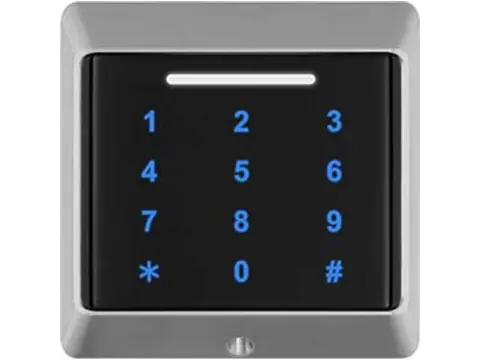
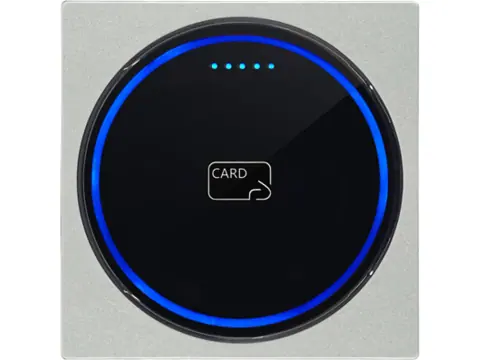
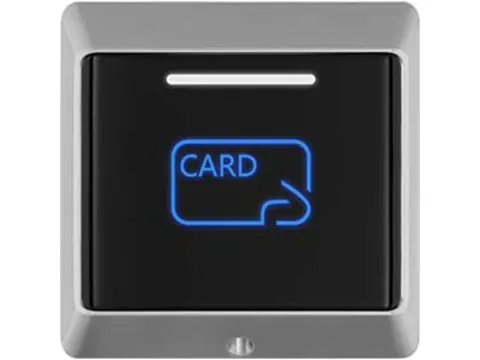
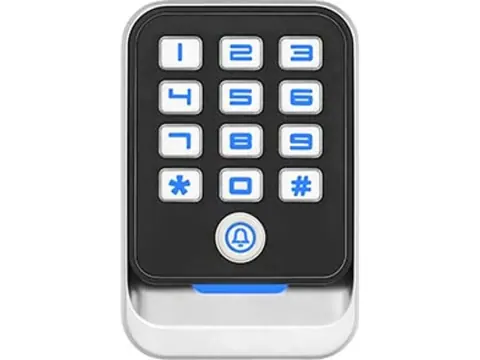
- Single doors, gates, parking and other low-risk openings: Wiegand remains practical. Long-range UHF readers, standalone keypads and barrier controllers often offer only Wiegand, and short runs inside a controlled area limit the exposure. Our Wiegand card and keypad readers cover these doors.
- OEM and embedded designs: choose TTL, RS-232 or RS-485 by distance and topology, and insist on a documented protocol.
Reader interface specification checklist
Run through this list before you finalize a reader schedule:
- Controller reader ports: Wiegand, OSDP (which version, and is Secure Channel supported?) or a proprietary RS-485 protocol.
- Wiegand format: 26-bit, 34-bit or a custom length, and whether facility codes must match an existing card population.
- Cable length per door: within the exact device cable limits, with voltage drop checked for reader power at the far end.
- Existing cable: conductor count, gauge, shielding, and whether a twisted pair is free for OSDP data.
- OSDP bus plan: addresses, baud rate, cable route and device-specific termination requirements.
- Secure Channel: required (not optional) on the controller, readers out of install mode, key handling documented.
- Credential technology: UID-only or secure sector/application read. The wire and the card are separate risks.
- Tamper and supervision: tamper output wired to an alarm input wherever Wiegand remains.
- LED, buzzer and display needs: Wiegand needs extra conductors; OSDP carries these commands over the data pair.
Next steps
Send us your controller’s reader-port specification, the credential type and the cable length to each door through the request-a-quote form. We confirm the output interface of every reader we propose (Wiegand 26/34, RS485, or OSDP where the datasheet lists it) before quoting, and samples are available for bench testing against your controller.
Sources and review scope
Reviewed 1 October 2026. Distance figures are planning examples, not guarantees for the catalog devices.
- SIA: Open Supervised Device Protocol — protocol ownership, Secure Channel and verification program.
- SIA: OSDP commissioning guidance — addresses, speed, unique keys and profiles.
- SIA: OSDP implementation checklist — firmware, documentation and staging tests.
- LibOSDP: Secure Channel implementation — install mode and enforcing protected operation.
Frequently asked questions
Is OSDP more secure than Wiegand?
Yes, when Secure Channel is enabled. OSDP v2 Secure Channel protects credential and other business-data exchanges with AES-128 encryption and message authentication, and polling lets the controller detect a missing or replaced reader. OSDP without Secure Channel is supervised but still readable on the wire.
What is the maximum cable length for Wiegand?
Some readers specify about 150 m (500 ft); this is not a universal Wiegand limit. Use the exact reader and controller cable specification, including gauge and capacitance. On long runs, voltage drop on the reader's power conductors is often the first problem, so check the supply voltage at the reader end.
Is RS485 the same as OSDP?
No. RS-485 defines only the electrical signaling on a twisted pair; OSDP is a protocol that runs over it. A reader described only as having 'RS485 output' may use a vendor-specific protocol that works with a single brand of controller.
Can I reuse existing Wiegand cable for OSDP?
Often, yes. OSDP needs four conductors (a power pair and a data pair), and many retrofits run it over existing multi-conductor Wiegand cable at 9,600 bps. Use a twisted pair for data where one is free, and test each run before cutover.
Does an encrypted card such as DESFire make a Wiegand reader secure?
It secures only the card-to-reader link. The reader still sends the resulting number to the controller as unencrypted Wiegand pulses, which can be recorded and replayed; protecting that link needs OSDP Secure Channel.
How many OSDP readers can share one controller port?
OSDP uses addresses 0–126 on a bus, but the practical limit is set by the controller's per-port specification and by polling time. Daisy-chain the readers, give each a unique address and terminate both ends of the bus with 120 Ω.
Want a second opinion on your spec?
Send us your controller, credential type and environment — we'll recommend compatible hardware and quote within 24 hours.