Key takeaways
- Classify every reader on four axes (credential, interface, form factor and environment) before you compare models or prices.
- 125 kHz prox and UID-only 13.56 MHz reads do not authenticate the credential; secure applications such as DESFire EV2/EV3 also need managed keys and a protected reader-to-controller path.
- Wiegand is universal but one-way, unencrypted and unsupervised; OSDP v2 with Secure Channel adds supervision and AES-128 encryption over RS485.
- Keep the decision logic and door relay on the secure side of the door; an all-in-one unit on the public side can be bypassed.
- Credential security, housing and environmental rating, and interface drive reader cost far more than the reader's shape.
Access control card readers are best sorted on four axes: the credential they read (125 kHz proximity, 13.56 MHz smart card, mobile, QR code or face), the interface they use to reach the controller (Wiegand, RS485/OSDP, TTL or TCP/IP), the form factor that fits the door, and the environment they must survive. Settle the credential and the interface first, because those two choices decide security and compatibility. The housing comes last.
This guide walks through each axis, explains where the access decision should be made, and ends with a selection checklist and an RFQ template you can copy.
Reader types by credential: prox, smart card, mobile, QR and face
125 kHz proximity (LF). Proximity readers read low-frequency credentials such as EM4100/TK4100 chips or HID Prox®-compatible cards and fobs. The card transmits a fixed ID, and there is no authentication between card and reader. That makes prox inexpensive and almost universally supported, but also easy to copy: rewritable chips such as the T5577 can be programmed to emulate an EM4100 ID. Prox still suits low-risk doors and sites with a large installed card base.
13.56 MHz smart cards (HF). High-frequency readers work with ISO/IEC 14443 Type A and Type B cards (MIFARE® Classic, MIFARE DESFire®, NTAG® and others) and, on some models, ISO/IEC 15693 vicinity cards. The key question is what the reader reads. A reader that outputs only the UID, or only the iCLASS® card serial number (CSN), does not authenticate the credential; UIDs can be emulated. For a secure application read, configure authentication to the intended card application, for example DESFire EV2/EV3 with AES-128 keys, and verify that failed authentication does not fall back to UID access. DESFire support alone does not establish that configuration. Key management and the reader-to-controller path also affect security. MIFARE Classic sector reads rely on the Crypto1 cipher, which is publicly broken, so treat them as legacy. Our 125 kHz vs 13.56 MHz guide covers migration paths, and our encrypted anti-clone readers cover secure-read hardware.
Mobile credentials (NFC and Bluetooth). A smartphone can act as the credential over NFC, where the phone is presented to a 13.56 MHz reader like a card, or over Bluetooth Low Energy, where an app exchanges a credential with the reader at a distance the installer can usually adjust. Both depend on the management platform: a reader supports NFC mobile credentials only where your platform issues them, and wallet-based passes need separate platform enrollment.
QR code. QR readers use an image sensor to decode codes shown on a phone screen or printed on paper, and most also include an RFID reader. A static QR code behaves like a printed password that can be screenshotted and shared. Dynamic QR codes issued by your management platform expire after a short window, which makes them practical for visitors and turnstiles. See our QR code and RFID readers for combination units.
Face recognition. Face terminals capture an image, compare it with enrolled templates (1:N matching) and usually contain their own controller. Look for liveness detection to resist photo and video replays, test performance under backlight and low light, and confirm how templates are stored. Many jurisdictions regulate biometric data; the EU GDPR, for example, treats it as a special category of personal data.
UHF long range. For vehicle gates, UHF readers read EPC Gen2 (ISO/IEC 18000-63) windshield tags at several meters. The permitted band depends on the country, such as 902–928 MHz under FCC rules or 865–868 MHz under ETSI rules, so order the regional variant.
| Credential | Frequency / medium | Main standard | Typical read distance | Clone resistance | Typical doors |
|---|---|---|---|---|---|
| 125 kHz prox | 125 kHz (LF) | Proprietary formats (EM4100, HID Prox-compatible) | ≤ 10 cm on most wall readers | Low | Low-risk doors, legacy sites |
| 13.56 MHz UID/CSN read | 13.56 MHz (HF) | ISO/IEC 14443 A/B, ISO/IEC 15693 | ≤ 10 cm (14443) | Low | Budget HF sites |
| 13.56 MHz secure read | 13.56 MHz (HF) | ISO/IEC 14443 A with AES-128 (e.g. DESFire EV2/EV3) | ≤ 10 cm | Depends on authentication, keys and data path | Offices, campuses, multi-tenant |
| NFC mobile | 13.56 MHz (HF) | Card emulation over ISO/IEC 14443-4 | A few cm | Platform-dependent | Offices, co-working |
| BLE mobile | 2.4 GHz | Bluetooth Low Energy | Adjustable, up to several meters | Platform-dependent | Residential, hands-free entry |
| QR code | Optical | ISO/IEC 18004 | Scanner-dependent | Static: low; dynamic: higher | Visitors, turnstiles |
| Face | Optical (visible / IR) | — | Terminal-dependent | Depends on liveness detection | Staff entrances, gyms |
| UHF vehicle tag | 860–960 MHz (regional sub-band) | ISO/IEC 18000-63 (EPC Gen2) | Several meters | Low to moderate | Parking and vehicle gates |
Reader types by interface: Wiegand, RS485, OSDP, TTL and TCP/IP
Wiegand. The de facto default. The reader sends the credential over two data lines, D0 and D1, referenced to a common ground, plus power and often LED and buzzer control inputs. The standard 26-bit format (H10301) is 1 even-parity bit, an 8-bit facility code (0–255), a 16-bit card number (0–65,535) and 1 odd-parity bit. Common 34-bit formats carry 32 data bits between the two parity bits. A basic Wiegand link is one-way, unencrypted and unsupervised: the controller cannot tell a cut cable from an idle reader, and a device spliced into the wiring can capture card data. Also note that 26-bit output carries only 24 data bits, so a reader that reads 32-bit UIDs must drop 8 bits, which can create duplicate numbers in a large card population.
RS485 (proprietary). RS485 is a differential, multi-drop bus that runs far longer than Wiegand. It is only a physical layer; the protocol on top is often vendor-specific, which ties readers to one controller family.
OSDP. The Open Supervised Device Protocol, maintained by the Security Industry Association (SIA) and published internationally as IEC 60839-11-5, runs over RS485. The controller polls each reader, so a missing or tampered reader raises an alarm, and OSDP v2 Secure Channel (SCP) encrypts traffic with AES-128. OSDP defines a default key for initial pairing in install mode; make sure commissioning replaces it with a unique key per reader. The controller can also drive reader LEDs and the buzzer over the same pair. Our Wiegand vs OSDP vs RS485 guide covers the trade-offs in depth.
TTL UART. 3.3 V or 5 V logic-level serial used inside equipment, such as reader modules on a kiosk or locker board. It is not intended for cable runs to a door.
TCP/IP. IP readers and terminals connect over Ethernet, often powered by PoE (IEEE 802.3af). They suit sites that manage devices from a server, but each one adds a network endpoint to patch, segment and secure.
| Interface | Wiring | Direction | Typical max cable | Encryption | Supervision |
|---|---|---|---|---|---|
| Wiegand 26/34 | D0, D1, GND + power (+ LED, buzzer) | Reader → controller | ~150 m (500 ft) | None | None |
| RS485 (proprietary) | 1 twisted pair + power | Two-way | ~1,200 m (4,000 ft) at lower data rates | Vendor-dependent | Vendor-dependent |
| OSDP v2 | 1 twisted pair (RS485) + power | Two-way | ~1,200 m (4,000 ft) at lower data rates | AES-128 with Secure Channel | Yes (polled) |
| TTL UART | TX, RX, GND at 3.3 V or 5 V | Two-way | Inside the enclosure only | None | None |
| TCP/IP (Ethernet / PoE) | Cat5e / Cat6 | Two-way | 100 m (328 ft) per copper segment | TLS if supported | Network-level |
Reader types by form factor: mullion, 86-box and keypad
Mullion readers. Narrow housings for the vertical frame members of glass and aluminum storefront doors. Metal frames absorb and detune the RF field, so expect shorter read range on metal and check whether the reader needs a non-metallic spacer.
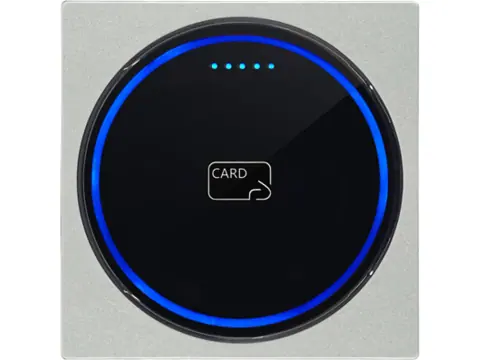
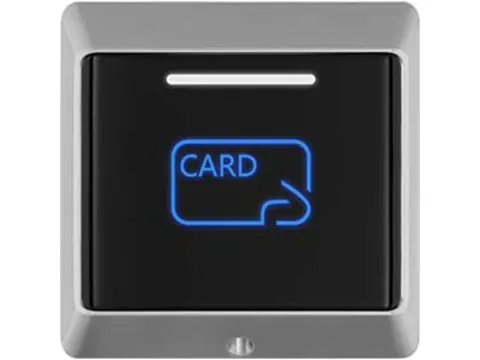
Wall-box (86-box) readers. Square readers sized to mount over an electrical wall box. The 86 × 86 mm format is common in many markets, while US single-gang and round European boxes use different fixing patterns, so confirm hole spacing or plan for a surface back box. Wall-box readers usually have larger antennas, and therefore more range, than mullion units.
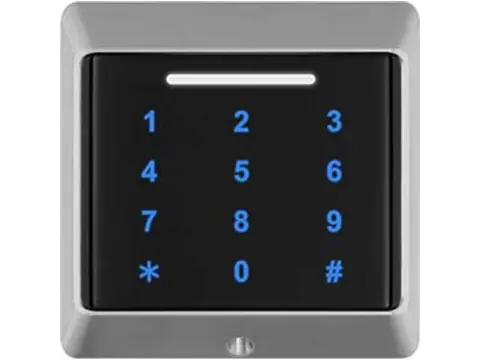
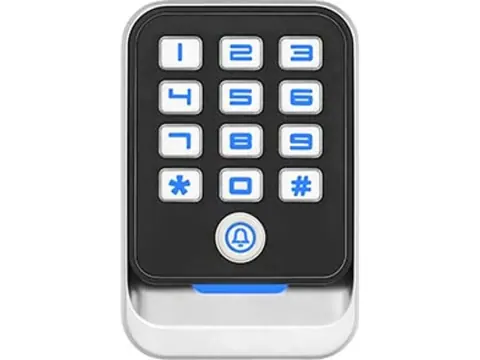
Keypad readers. A card reader and PIN pad in one housing, supporting card-plus-PIN, card-or-PIN or PIN-only modes. Check how PINs are sent: common options are one Wiegand frame per key press (4-bit or 8-bit) or the whole PIN packed into a 26-bit frame after the # key. The controller must expect the same format. Compare housings and output options in our Wiegand card and keypad readers.
Desktop USB readers. Enrollment readers at the admin desk type the card number into software using keyboard emulation. They are not door readers, but they must output the same card number format as the door readers.
Reader types by environment: outdoor, tamper-proof and explosion-proof
Outdoor. Check the IP rating under IEC 60529: IP65 is dust-tight and protected against water jets, IP66 against powerful water jets, and IP67 against temporary immersion (up to 1 m for 30 minutes). Potted electronics tolerate condensation better than gasket-only housings. Compare the operating temperature range with local extremes, and fit a rain cover where the reader faces direct rain or sun.
Vandal- and tamper-resistant. Impact resistance is graded under IEC 62262, from IK08 (5 J) to IK10 (20 J). Metal housings, security screws and a tamper switch wired to an alarm input make removal attempts visible. Our tamper-proof and explosion-proof readers group these housings.
Explosion protection. Specify hazardous-area readers against the classification of each mounting point and the locally accepted conformity route. Gas areas use Zones 0, 1 and 2; dust areas use Zones 20, 21 and 22. Review the complete marking, required equipment protection level (EPL), gas or dust group, temperature limits, ambient range and conditions of use. An Ex ia label alone does not approve a particular reader for Zone 0. North American sites may use Class/Division or Zone frameworks; ATEX or IECEx evidence alone does not establish local acceptance.
For intrinsic safety, review the complete connected circuit under the applicable IEC 60079 requirements. An external barrier or galvanic isolator may be part of the documented system, but it is not a universal requirement. Verify the certified system configuration or applicable entity parameters, including cable capacitance and inductance. Ordinary controllers commonly sit in an unclassified area; a controller inside a classified area needs its own suitable protection and approval. The associated apparatus’s protected-circuit marking does not establish its mounting-location suitability.
ATEX conformity-assessment routes differ by equipment category and type; category 3 equipment can use internal production control, so a third-party certificate is not universal. Request the declaration, instructions and assessment evidence required by the applicable route, and verify the current IECEx Certificate of Conformity when IECEx is claimed. Our explosion-proof reader guide explains these document and circuit checks, with official sources reviewed on 2026-10-01.
Reader vs standalone controller: where the decision happens
A reader only identifies the credential; something must decide whether to open the door and switch the lock. Where that logic sits affects security, scale and cost.
| Architecture | Where users are stored | Where the door relay sits | Typical scale | Watch-outs |
|---|---|---|---|---|
| Reader + separate controller | Controller | Controller, on the secure side | 1 to many doors | Extra hardware and cabling |
| Standalone reader-controller | In the unit at the door | In the unit, often on the public side | Single door | Relay can be bypassed if the unit is removed; limited audit trail |
| Networked door controller | Controller and server | Controller, on the secure side | Multi-door, multi-site | Network planning and software setup |
| Face or QR terminal | Terminal and/or server | Terminal or a connected controller | One door or lane per terminal | Check Wiegand output if a third-party controller decides |
Standalone units are fast to install and easy to program with a master code or card, which suits single doors, gates and small offices. Their weakness is physical: if the unit that holds the relay is mounted on the public side, removing it can expose the lock wires. For anything beyond low-risk doors, mount a reader outside and keep the controller on the secure side. Many standalone keypads also offer Wiegand input or output, so they can work with an external reader or act as a reader for another controller. Browse access controllers and terminals for standalone, networked and cloud options.
The reader type does not change egress requirements. Free exit is governed by life-safety codes such as NFPA 101 in the US and by local building regulations, whichever reader you choose.
Price bands and what drives them
We do not publish list prices, because reader cost depends on configuration and quantity. The main cost tiers, from lowest to highest, are:
- Entry: single-frequency UID readers (125 kHz or 13.56 MHz) with Wiegand output and plastic housings.
- Mid: dual-frequency or keypad readers, metal housings, potted IP65+ builds and MIFARE sector reads.
- Upper: secure AES readers with protected key storage or a SAM, OSDP Secure Channel, Bluetooth mobile credentials and QR combination units.
- Specialist: face terminals, long-range UHF readers and explosion-proof readers, where certification and enclosure design add cost.
Within each tier, price moves with key storage, housing material, IP/IK rating, interface, certifications, customization (logo, color, custom Wiegand format) and order quantity. Look at total cost too: credentials outnumber readers on almost every site, and re-issuing cards because a cheap reader forced a clonable format usually costs more than the reader saved.
Selection checklist
- Credential population identified: frequency, chip type, and UID versus secure application data
- Card number format agreed with the controller (Wiegand 26, 34 or custom; facility code range)
- Interface chosen: Wiegand, OSDP with Secure Channel, RS485 or TCP/IP
- Cable type and length checked against the interface limits
- Mounting surface confirmed: mullion, 86-box, US single-gang, metal frame
- Environment defined: IP and IK rating, operating temperature, hazardous-area zone
- Tamper output wired to an alarm input
- Decision logic and door relay located on the secure side
- Supply voltage and current per reader confirmed, including LEDs and keypad backlight
- Required marks and listings (CE, FCC, UL 294 where specified) confirmed for the exact model
- Samples tested with real cards on the real controller
RFQ template
Copy this into your request so we can match readers to your controller and card population:
Project / site type:
Number of doors and readers:
Credential technology (e.g. 125 kHz EM4100, MIFARE Classic UID, DESFire EV3 application):
Data to read (UID/CSN or secure application data):
Output interface and format (Wiegand 26/34, OSDP v2 with Secure Channel, RS485, TCP/IP):
Controller make and model:
Form factor (mullion, 86-box, keypad):
Mounting surface (metal frame, glass, masonry):
Environment (indoor/outdoor, IP rating, temperature range, hazardous-area zone):
Supply voltage available:
Required certifications or listings:
Customization (logo, color, custom Wiegand format):
Quantity and target delivery date:
Samples needed (quantity):
Next steps
Send your completed template or door schedule through our request-a-quote form. We confirm compatibility with your controller and card format before quoting, and samples are available for on-site testing.
Frequently asked questions
What are the main types of access control card readers?
Readers are grouped by credential (125 kHz proximity, 13.56 MHz smart card, NFC or Bluetooth mobile, QR code, face), by interface (Wiegand, RS485/OSDP, TTL, TCP/IP) and by form factor (mullion, wall-box, keypad). Most projects combine several types.
What is a mullion card reader?
A mullion reader is a narrow reader made to fit the vertical frame member of a glass or aluminum storefront door, where a square wall reader will not fit. On metal frames, expect some loss of read range and check whether a non-metallic spacer is needed.
Is a keypad card reader more secure than a card-only reader?
Card-plus-PIN mode adds a second factor, so a lost or copied card alone does not open the door. Overall security still depends on the card technology and on how the reader sends data to the controller.
Can a 125 kHz reader read 13.56 MHz cards?
No. The two bands use different frequencies and protocols. You need a dual-frequency or multi-technology reader if both card populations must work during a migration.
How much does an access control card reader cost?
There is no single price. Cost depends on credential technology, key storage, housing material, environmental rating, interface, certifications and order quantity, so request a quote against your exact specification.
Do I need an OSDP reader?
Specify OSDP when the site needs supervised, encrypted reader-to-controller links and the controller supports OSDP Secure Channel. For simple single-door installs, Wiegand is often sufficient.
Want a second opinion on your spec?
Send us your controller, credential type and environment — we'll recommend compatible hardware and quote within 24 hours.